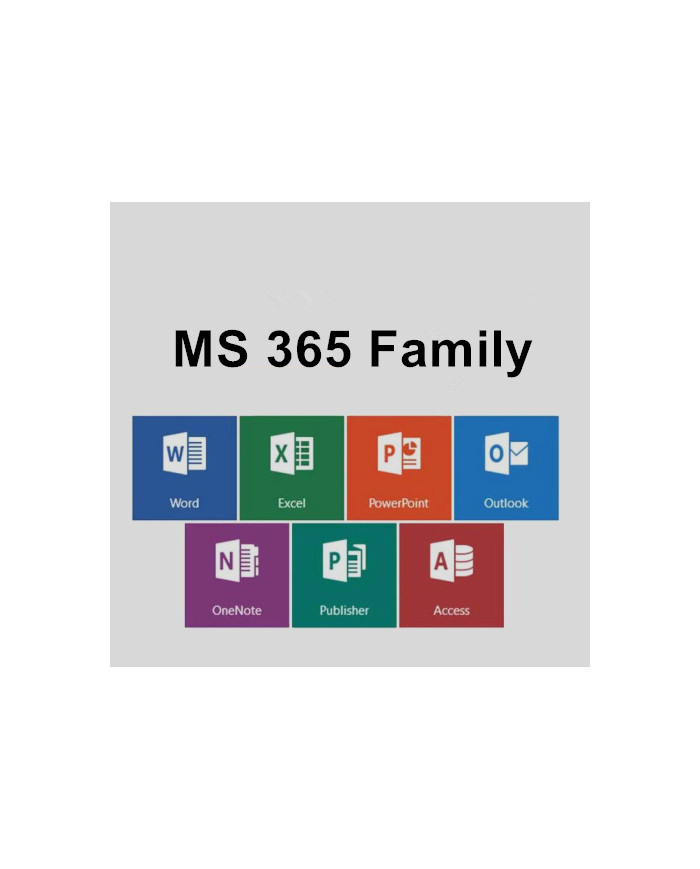
MS 365 Family Up to 6 Users with Premium Office Apps & 1 TB OneDrive Each
Suitable for: Windows and MacOS.
Note: Access and Publisher can only be installed on a Windows PC.
The license is valid for up to 6 users and can be installed on multiple devices.
Microsoft 365 Family provides you with a comprehensive software suite suitable for typical office tasks for home users as well as for use in small businesses. Thanks to the subscription model, you always have access to the latest programs in the Office suite – regardless of when you purchased Microsoft 365 Family or where you are located.
Components of Microsoft 365 Family
If you decide to purchase Microsoft Office Home, you will get immediate access to the following programs:
- Word – helps you work with documents.
- Excel is suitable for creating and managing spreadsheets.
- OneNote – is your permanently available notebook that you can also edit with a pen.
- Outlook – makes it easier for you to manage emails and contacts.
- PowerPoint is ideally suited for designing presentations for friends or colleagues.
- Access – provides you with the necessary tools to create and manage databases (Windows PC only).
- Publisher – helps you design modern layouts for brochures, flyers and similar documents (Windows PC only).
You can use Microsoft 365 Family for both routine paperwork and complex tasks. The intuitive interface of all applications in Microsoft 365 Family ensures that you'll find your way around immediately, even if you're switching from previous versions.
Microsoft 365 Family: available anywhere, anytime
Installing Microsoft 365 Family is easy via the Office website, allowing you to install the software suite on any device with an internet connection. This eliminates the need for separate media, enabling you to work productively from anywhere with Microsoft Office Home. Furthermore, Microsoft 365 Family offers a subscription-based payment method: you can subscribe for one year with us.
New features in Microsoft 365 Family:
Use Microsoft 365 Family to collaborate on documents with other users simultaneously via OneDrive.
By purchasing Microsoft 365 Family, you receive 1 terabyte of free storage capacity for Microsoft's OneDrive cloud storage, as well as 60 free minutes of Skype calls to landlines per month.
Benefit from a new assistant in Microsoft 365 Family that helps you with frequently asked questions.
Use Microsoft 365 Family on the go: Thanks to optional touch input, all applications are also suitable for use with a tablet or similar devices.
Share Microsoft 365 Family
By purchasing Microsoft 365 Family, you also receive the right to install the software suite for up to 6 users on a variety of devices – whether Windows PC or Mac. Microsoft 365 Family is therefore particularly suitable for families with multiple devices. It is one of the most affordable solutions for always having access to a complete and up-to-date Office suite.
The Most Important Questions
What is the difference between Office 2024(one-time purchase) and Microsoft 365(subscription)?
Office 2024 is offered as a one-time purchase, meaning you pay a single upfront fee for Office applications for one computer. This one-time purchase option is available for both PCs and Macs. However, a one-time purchase does not include an upgrade option. If you plan to upgrade to the next major version, you will need to purchase it at full price.
Microsoft 365 Single, Microsoft 365 Family, and Microsoft 365 Premium are subscriptions that include powerful productivity apps and creative tools with AI-powered features. In addition to desktop versions of popular Microsoft 365 apps like Word, PowerPoint, Excel, and Outlook with Microsoft Copilot, you also get ample cloud storage, enhanced security, and cloud-based features for real-time file collaboration. The subscription ensures you always receive the latest features, enhancements, and security updates, as well as ongoing technical support at no extra cost. You can choose between a monthly or annual subscription and use your apps on multiple PCs, Macs, tablets, and smartphones. With the Microsoft 365 Family plan, you can share your subscription with up to five other people, each with their own apps and storage space. Microsoft 365 Premium also gives you access to the highest usage quotas for advanced AI features and Copilot features currently exclusive to Premium subscribers. (AI features are only available to the subscriber and cannot be shared. Usage restrictions apply. Minimum age requirements may apply for subscription activation and use of AI features.
How can I determine if Microsoft 365 can run on my PC or Mac?
Microsoft 365 is compatible with PC, Mac, Android, and iOS.
Are the versions of Microsoft 365 for PC and Mac identical?
No. Microsoft 365 applications are tailored to each platform and operating system. The applications and features available to Mac users may differ from those available to PC users. Microsoft 365 offers flexibility. Your account isn't limited to Macs or PCs; you can work across multiple device platforms.
Do I have full control over my documents with a Microsoft 365 subscription?
Yes. Documents you create remain entirely your property. You can save them online on OneDrive or locally on your PC or Mac.
What is a Microsoft account and why do I need it for Microsoft 365?
Your Microsoft account is the combination of email address and password you use to sign in to services like OneDrive, Xbox Live, and Outlook.com. If you use any of these services, you already have a Microsoft account. You can also create a new one.
When you sign up for a trial or purchase Microsoft 365, you'll need to sign in with a Microsoft account. You'll need to be signed in with this account to install and manage Microsoft 365 software and to use certain subscription benefits, such as OneDrive storage.
How many people can use a Microsoft 365 subscription?
You can share Microsoft 365 Family and Microsoft 365 Premium with 5 other people, for a total of 6 users. Microsoft 365 Single can only be used by one person.
How can I share the benefits of my subscription with family members?
If you have an active Microsoft 365 Family or Microsoft 365 Premium subscription, you can share the benefits of the subscription with up to 5 other people. Each person you share your subscription with can install Microsoft 365 on all their personal devices and sign in to 5 devices simultaneously.
To add another person to your subscription, sign in to your Microsoft account and follow the instructions for adding users. Each person you add will receive an email with instructions. Once the invitation is accepted and the steps in the email are completed, the person's information, including the installations they are using, will appear on their "My Account" page. In your Microsoft account, you can also stop sharing your subscription or remove a device used by added users.



 Your message must be between 20-3,000 characters!