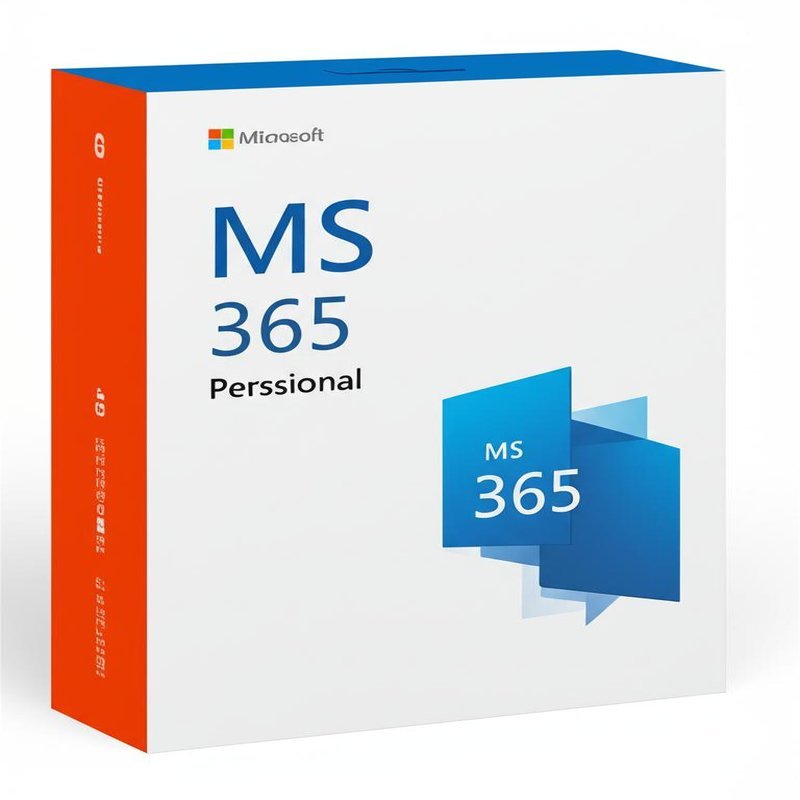
MS 365 Personal subscription: All essential Office apps are accessible from any device, anywhere!
With Microsoft 365 Personal, you get full access to the most popular Office applications, such as Word, Excel, PowerPoint, and Outlook, plus 1 TB of OneDrive storage to save and sync your files in the cloud. The subscription is for one person and can be installed on up to 5 devices, including PCs, Macs, tablets, and smartphones. This means you can work, communicate, and stay organized without limitations on location or device. Genuine license that activates directly in your Microsoft account, secure payments, lifetime free technical support, and the guarantee of an official Microsoft partner.
MS 365 Personal: Productivity and organization always with you
With Microsoft 365 Personal , you always have the tools you need to create professional documents, manage projects, communicate clearly, and collaborate seamlessly. Thanks to automatic file synchronization, you can start a report on your PC, edit it on your tablet while you're on the go, and review it on your smartphone before a meeting. Services like Outlook simplify email and calendar management, while OneDrive provides a secure place to store and share documents, photos, and presentations. Teams lets you organize virtual meetings, exchange messages, and collaborate on files with others in real time. Whether you're studying, working from home, or traveling for business, Microsoft 365 Personal ensures continuity, security, and flexibility throughout the day.
MS 365 Personal: 1-Year Microsoft Key for 1 User / 5 Devices
With Microsoft Office 365 Personal, you get a comprehensive suite of productivity tools designed for one user. This 1-year subscription provides access to premium Office apps such as Word, Excel, PowerPoint, and Outlook. It also includes 1TB of OneDrive storage for secure file storage and sharing across devices. Whether you need it for work, school, or personal use, Microsoft 365 Personal ensures you can stay productive on all your devices with advanced security features and regular updates.
Key Features of Microsoft 365 Personal:
- Latest Office Apps: Word, Excel, PowerPoint, Outlook, OneDrive, Access, OneNote, Defender, Editor, Clipchamp.
- 1TB OneDrive Cloud Storage: Securely store and share files, accessible across all your devices.
- Single User: The subscription is for one user, allowing installation on multiple devices.
- Device Limit: Install on up to 5 devices simultaneously.
- Compatible: Works on Windows, macOS, iOS, and Android.
- Advanced Security: Protect your data and devices with Microsoft Defender, offers advanced security against malware and ransomware.
- Regular Updates: Stay up-to-date with new features and security improvements.
Why Choose Microsoft 365 Personal?
Microsoft Office 365 Personal is perfect for individuals who need a powerful set of tools to manage their personal and professional lives. With 1TB of OneDrive storage and premium Office apps, you can easily work on documents, spreadsheets, and presentations from any device. The subscription also offers advanced security features, ensuring that your data is safe and protected.
Compatibility:
Windows: Supports Windows 10, 11, and later.
Mac: Compatible with macOS 10.15 or later.
Mobile Devices: Works on iOS and Android smartphones and tablets.
| Product Name |
MS 365 Personal |
| Genre |
Software |
| Description |
Includes: Word, Excel, Powerpoint, OneNote, Outlook, OneDrive, Skype, Access (PC Only), Publisher (PC Only) One subscription that includes premium Office apps, 1 TB of cloud storage, and advanced security for email and files.
With MS 365 Personal you can: Get design and writing suggestions and templates, stock photos, icons, and fonts in Word, Excel, PowerPoint Access and share files and photos across your devices Know files are protected with built-in ransomware detection and recovery; most important files are protected with two-step verification in OneDrive Personal Vault Gain access to new features as soon as they're released Contact support via chat or phone at no extra cost throughout your subscription.
|
| Regional Limitations |
Via China IP |
System Requirements
| Windows |
Processor: Windows: 1.6 gigahertz (GHz) or faster
Operating System: Windows 10, Windows 8.1
Memory: 4 GB RAM; 2 GB RAM (32-bit)
Hard Drive Space: 4.0 GB of available disk space
Display: 1280 x 768 screen resolution
Graphics: Graphics hardware acceleration requires DirectX 9 or later, with WDDM 2.0 or higher for Windows 10 .
NET version: Some features may require .NET 3.5 or 4.6 and higher to also be installed
Browser: The current version of Microsoft Edge, Internet Explorer, Safari, Chrome, or Firefox
|
| Mac |
Processor: Intel processor
Operating System: The three most recent versions of macOS
Memory: 4 GB RAM Hard Drive Space: 10 GB of available disk space. HFS+ hard disk format (also known as Mac OS Extended or APFS)
Display: 1280 x 800 screen resolution
Browser: The current version of Microsoft Edge, Internet Explorer, Safari, Chrome, or Firefox
|
| Android |
Processor: ARM-based or Intel x86 processor
Operating System: The last 4 major versions of Android
Memory: 1 GB RAM
|
| iOS |
Operating System: The two most recent versions of iOS |
Frequently Asked Questions (FAQ):
1. What apps are included in Microsoft Office 365 Personal?
The subscription includes Word, Excel, PowerPoint, Outlook, OneDrive, Access, OneNote, Defender, Editor, Clipchamp.
2. How much cloud storage do I get?
You receive 1TB of OneDrive cloud storage with your subscription.
3. How many devices can I use Microsoft Office 365 Personal on?
You can install Office apps on up to 5 devices simultaneously.
4. Is the security feature effective?
Yes, Microsoft Defender offers advanced protection against malware, ransomware, and other online threats.


 Your message must be between 20-3,000 characters!